
Introducing...
The Ofsted Inspection Companion
Your story, ready to share when Ofsted calls
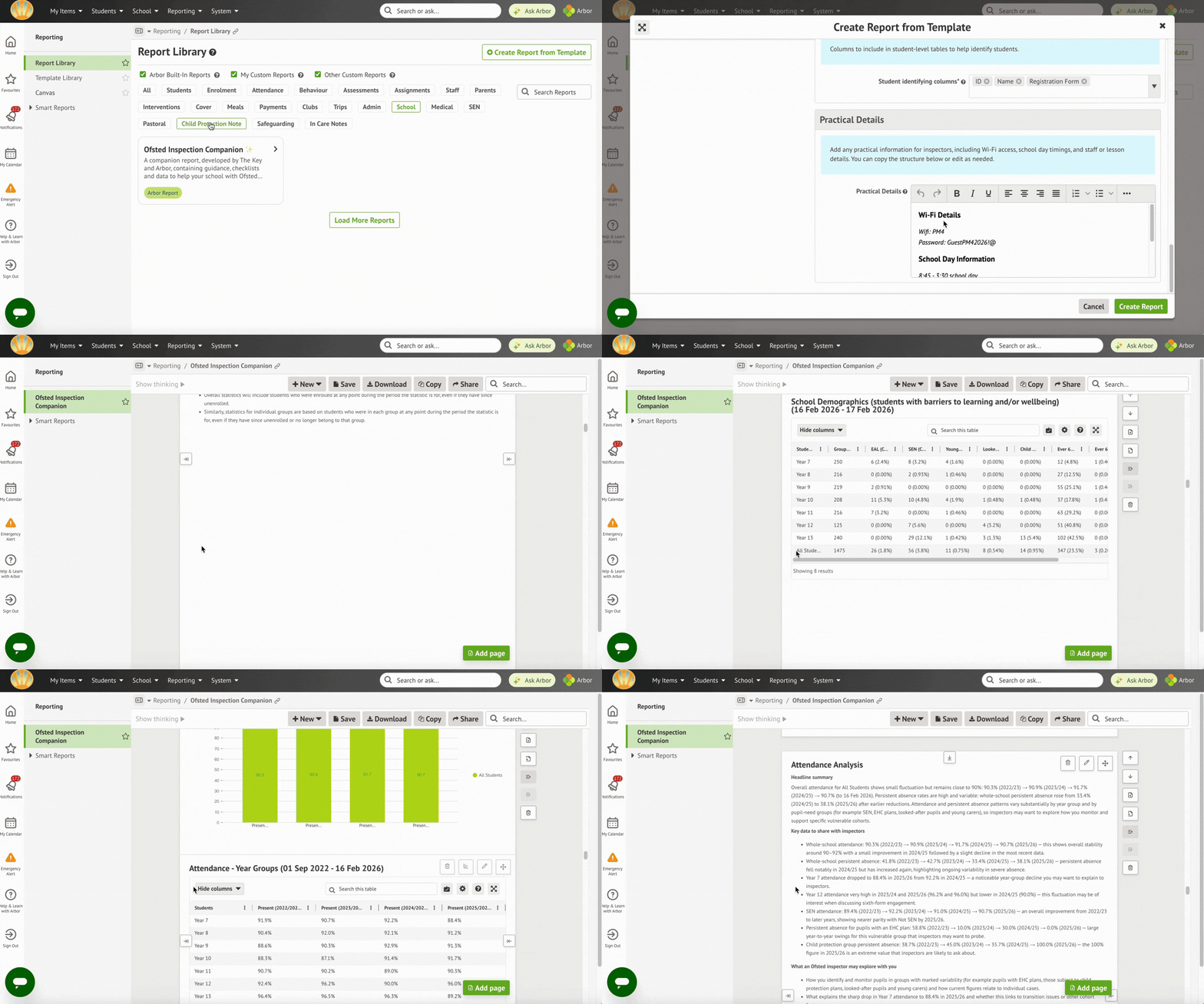
The new Ofsted framework gives you more opportunity than ever before to share your school’s unique context and story – but you still need data to back it up. Schools tell us they spend an average of 14 hours compiling data ahead of an inspection, at a time when the last thing they need is extra stress.
That’s why we’re so excited to launch our new Ofsted Inspection Companion!
It’s a brand new Arbor report that automatically pulls together the key data inspectors need to see, structures it in line with the new framework, and uses clear, guided prompts to help you generate a narrative that truly reflects your school. The result is a complete, up-to-date inspection pack that’s ready in minutes, not hours - so your team can walk in on inspection day feeling clear, confident and aligned.
"I would recommend [The Ofsted Inspection Companion]. It’s very thorough. Love that it can be used in many ways other than Ofsted - we use it in Governors Meetings as well."
Kirsti Leeder, Office Manager at Wells Hall Primary School
.png?width=2000&height=1418&name=Ofsted%20companion%20(3).png "Ofsted companion (3)")

Information ready when you need it
Answering inspection questions just got easier. Arbor’s Ofsted Inspection Companion pulls everything together instantly, so you’re prepared for any data-related question an inspector might ask, from behaviour and attendance to staffing and safeguarding.

Built for the new Ofsted era
The report was designed with guidance from experts at The Key on the new inspection framework, and pulls your live data directly from Arbor - so you know it’s accurate, up-to-date and gives inspectors all the key information they need.

No last-minute scramble
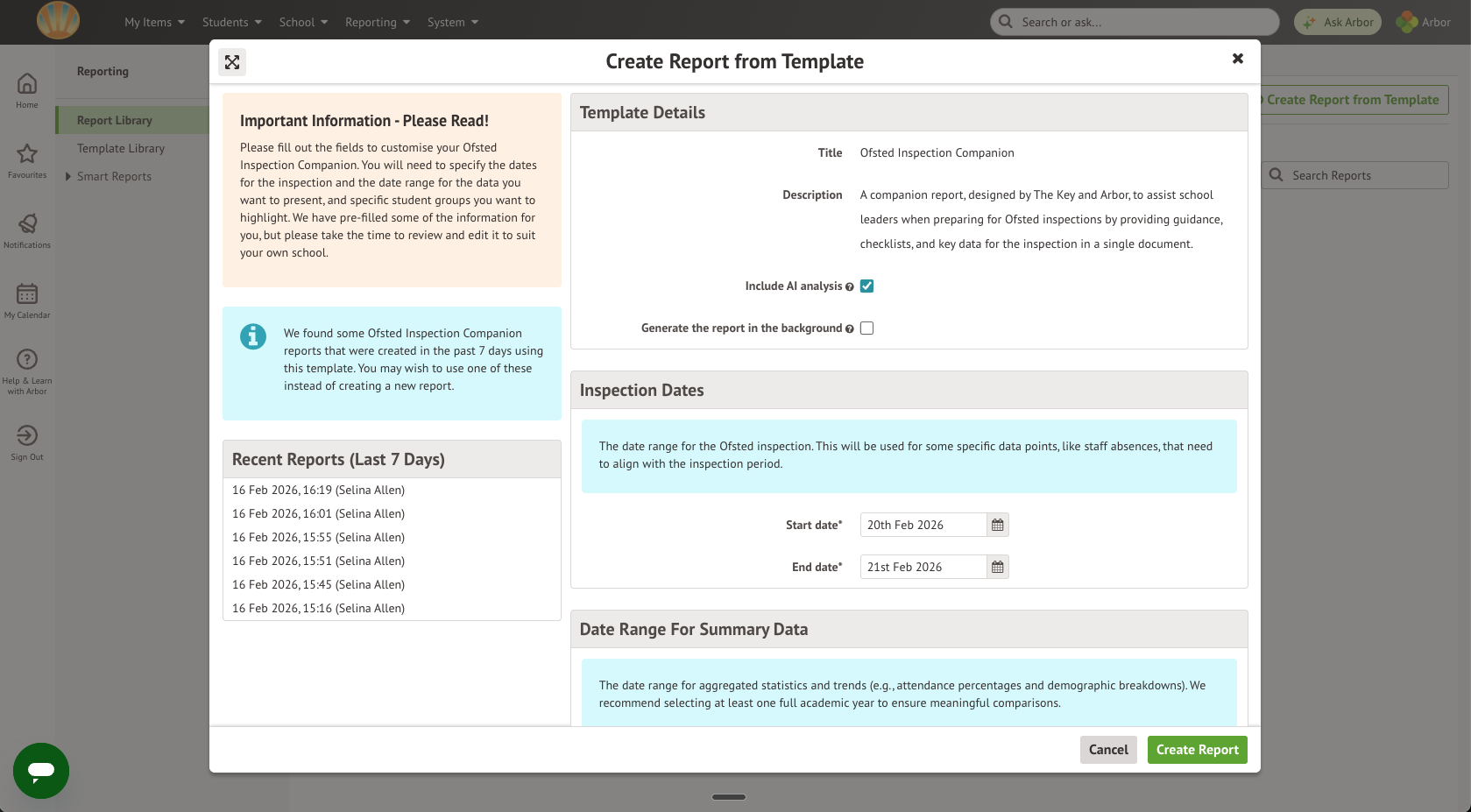
Waiting for “the call” is a lot less stressful when you know your data and story are ready to share at any time. There’s no setup work needed: just follow the guided prompts, and the system fills in the rest automatically from Arbor. So you get precious time back to focus on what really matters: supporting your school community.
What does the report include?
✅ Essential MIS data
Key metrics pull directly from Arbor into a template designed with The Key’s inspection expertise.
✅ Cohort breakdowns and inclusion data
Instantly lists disadvantaged pupils, SEND cohorts, pupils known to social care, and young carers, in line with KCSIE and inspection expectations.
✅ Behaviour and attendance analytics
Tables showing attendance by group, exclusions, managed moves, bullying incidents, and internal isolations, all refreshed from live data.
✅ Safeguarding and operational data
Pulls summary safeguarding and staffing information (ECTs, absences, timetable, day structure) directly from your Arbor records.
✅ AI-assisted commentary
Helps you shape your unique story with simple prompts, so your data is seen in context.
Step 1
Step 2
""We will certainly be using this, it's brilliant and will save a massive amount of time!"
Claire Ledbury, Data and MIS Manager at Nunnery Wood High School
FAQs
Is it free?
The Ofsted Inspection Companion is available for free to all Arbor schools, and can be refreshed multiple times if needed, within your Arbor AI Monthly Free Allowance. We've designed it to work efficiently so it only uses up a small proportion of your allowance, each time you generate a report.
Where can I find it?
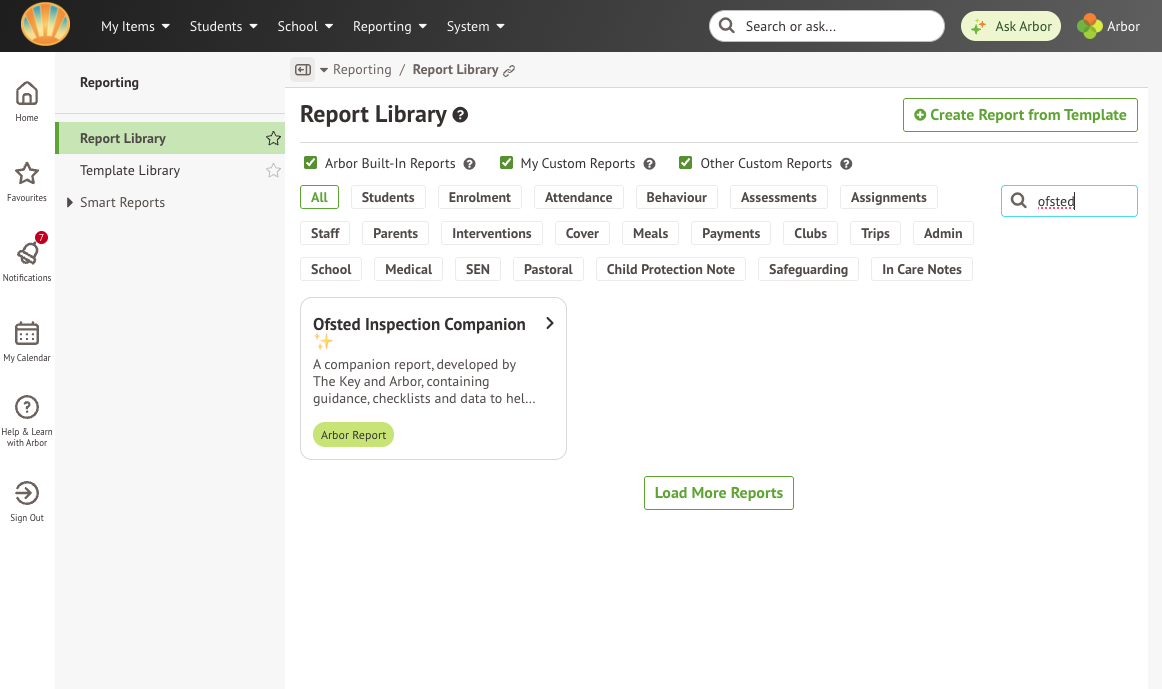
Log into Arbor and navigate to Reporting > Report Library, then search for “Ofsted”
Can I customise the report?
You can manually edit the AI-assisted commentary to make sure it truly reflects your school context. You can also move or delete pages if they're not relevant to your school.
Does it use real-time data?
Every time a user generates a new version of the report, it pulls the most up-to-date data currently recorded in Arbor. However, reports you’ve created previously won’t update in real time - so you can keep those as a “point in time” snapshot of your previous performance.
How does the report align with the new Ofsted framework?
We built the Ofsted Inspection Companion in partnership with trusted experts at The Key. The report is structured specifically around Ofsted evaluation areas (Attendance & Behaviour, Achievement and Inclusion) and helps schools prepare for the new "case-sampling" approach for key pupil groups.
Who has permission to run the report?
By default, all user roles with reporting permissions can generate the report. However, each individual area is governed by specific permissions, so if you don't have permission to see a certain area of data in Arbor normally, that section of the report will appear blank for you. As the report is downloadable, we would advise you to exercise all usual caution when sharing a downloaded version of this report, as it does contain Personally Identifiable Information.